Detour Pro 4: Take Control of Your URLs
April 2, 2026
Detour Pro has always made it easy to manage redirects directly in the control panel. No need for complicated .htaccess or web.config rules that require file access. Version 4 sharpens that workflow: a new dashboard, charts, and a CSV importer help you see where traffic is going and where it’s failing.
New Dashboard, New Opportunities
The new dashboard adds charts that give you at-a-glance status of which URLs are being handled properly and which are not.
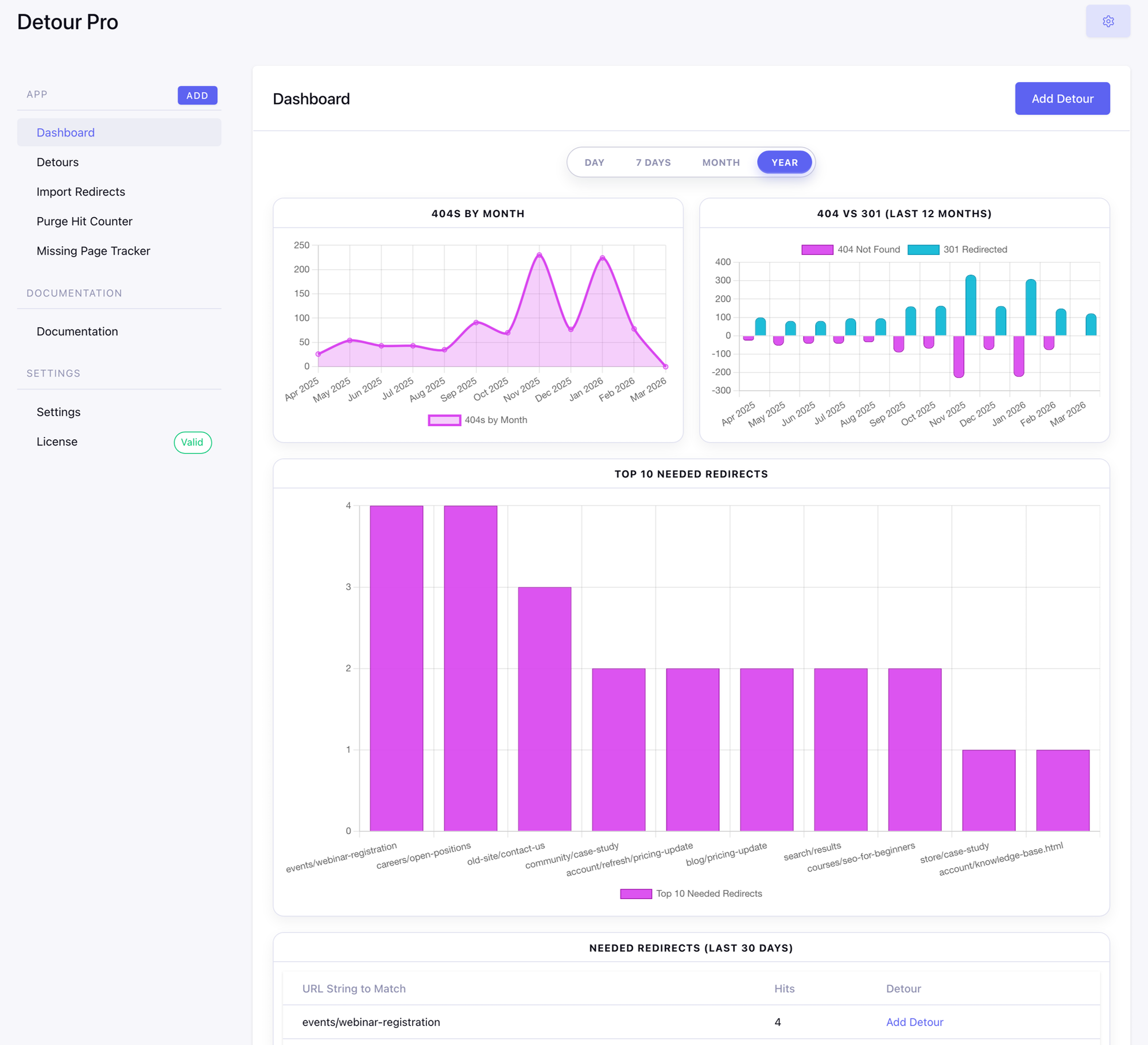
The standout: Top 10 Needed Redirects. This shows the most-hit 404s that don’t yet have a redirect, with a one-click “Add Detour” link for each in the table below the chart. Fix the highest-traffic broken URLs first. With the hit counter enabled, you also get 404 and 301 trend charts, a 404 vs 301 comparison, and a Top 10 Redirects chart on the Detours list.
Missing Page Tracker
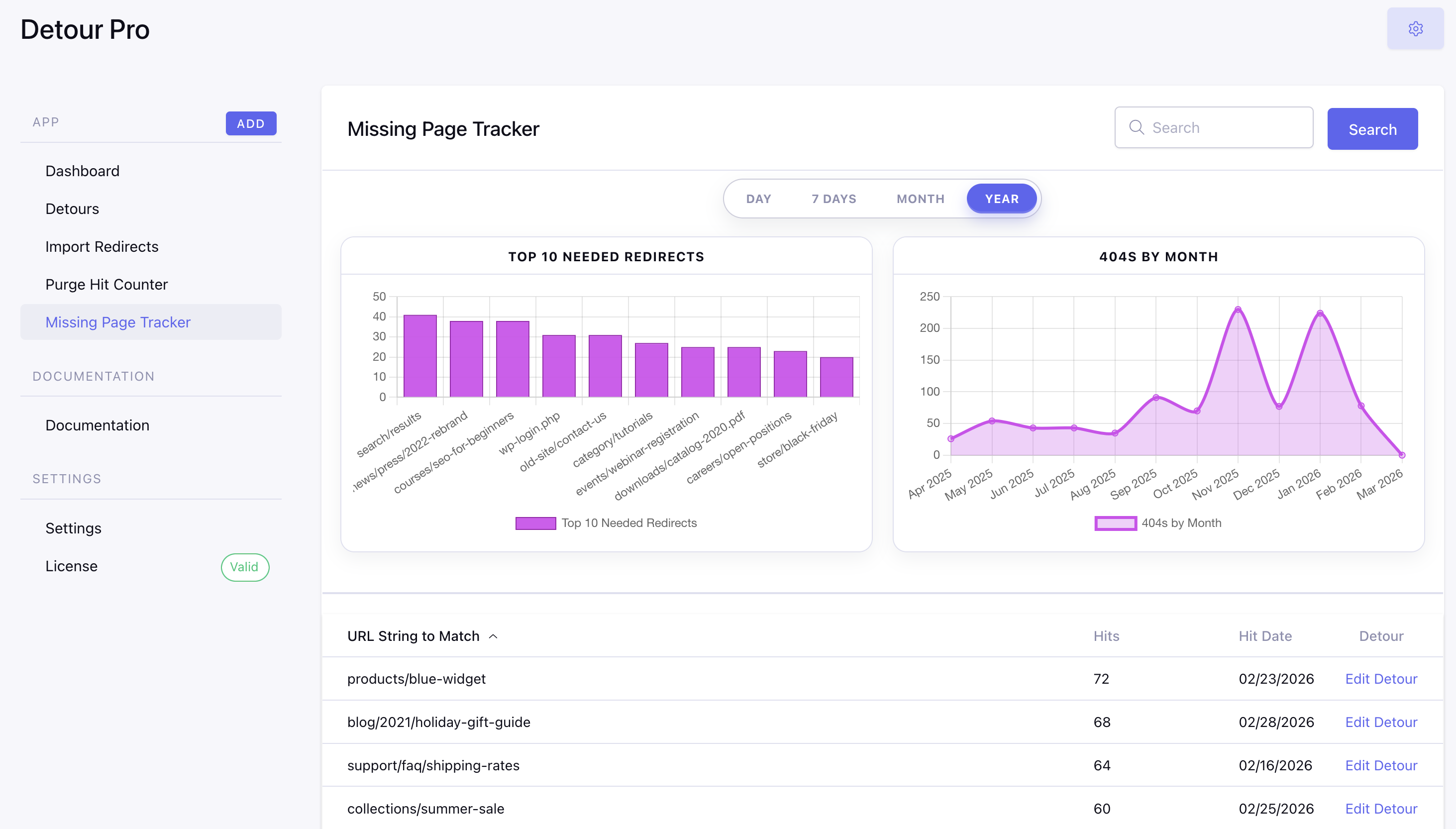
All new for Detour Pro v4, the missing page tracker is designed to identify the pages that need redirects. Leveraging the {exp:detour_pro:not_found} tag, this page helps you identify the gaps in your URL management. Turn 404's into content by creating detours for your most often missed links.
CSV Import
Let's be honest, tracking visitor activity is fun. Entering data? Not so much. Detour Pro v4 adds a CSV importer that let's you easily map existing URL data to our fields and pull in hundreds of redirects with 1 click.
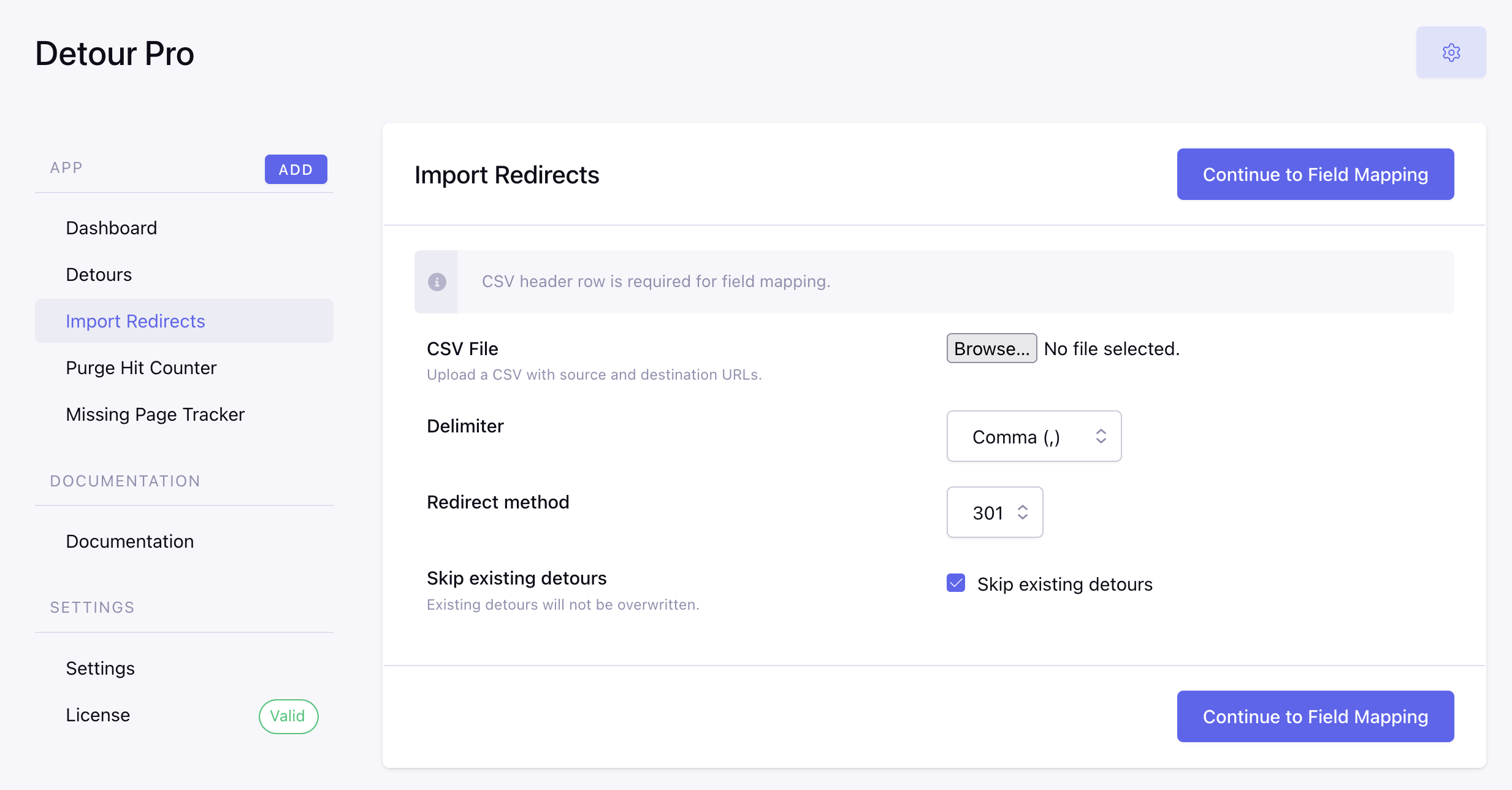
Upload a file, map your columns to Detour fields, and review a preview before committing. The preview shows insert/update/skip counts so you know exactly what will happen. Options for delimiter and skip-existing round it out.
Performance and UI
Detour Pro v4 is both prettier AND faster. The control panel UI has been modernized, fully integrated with current ExpressionEngine design standards. and database optimizations increase speed and decrease overhead.
