Favorites 7.0 Released
February 18, 2026
What's New? All the Things!
Control Panel
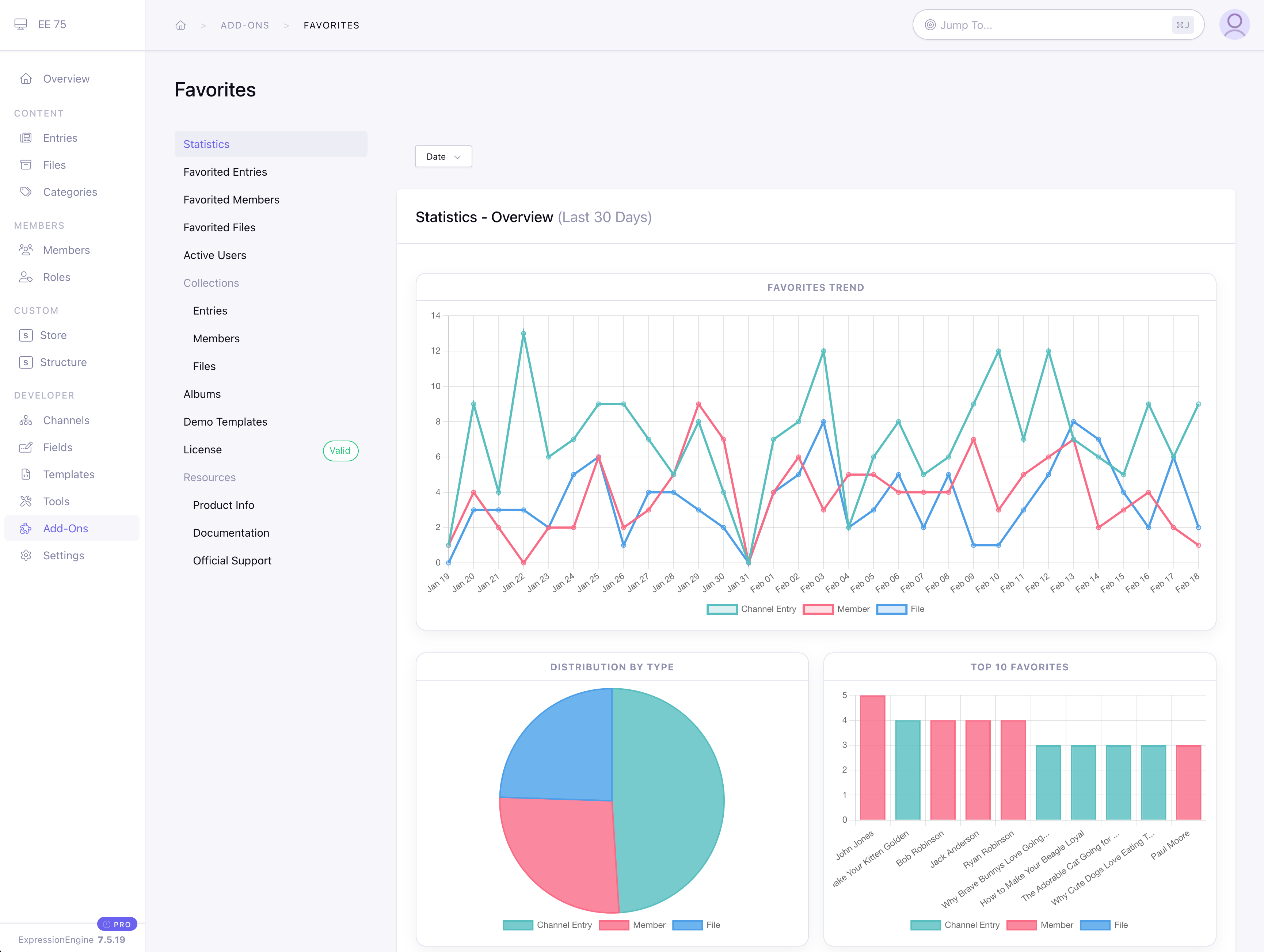
Favorites v7 has a whole new control panel. You land on a summary statistics page where you can see—at a glance—all the important information to help you identify what's working and what's not regarding user engagement. Set the customizable date filter to see trends over time. See the distribution of favorites amongst the 3 types of favorites, while a 'Top 10' shows your hot topics. Drill down to detailed pages with complete lists of who favorited your content and when they did it. Scroll further and the focus shifts from content to users, with statistics on unique user engagement, distribution by type, and a 'Top 10' users list that makes quick work of identifying your power users. Finer breakdowns of interaction by each of the three types of 'favorite' (entry, member, and file) give you a laser focus into what is, and isn't, working for your users.
The new landing page isn't the only control panel improvement. All listing pages have had their content bulked up and the entire control panel has been modernized to use ExpressionEngine's current standards. That means more filters, sortable tables, and a seamless match to native design elements.
While Favorites has always provided solid data on what is getting favorited, the v7 control panel adds a new focus on the users who drive the action. The active user section lists user activity. See every vote, sort to see your most active users, and drill down to detail pages to see all activity by a given member. Identifying who is interacting with your content is as important as knowing what is popular, and that's reflected in the update.
Experienced Favorites users will also notice new Files and Albums sections. Like the entry and member favorites page, you'll find an easily sortable and filterable table of all file-specific favorites on the File Favorites page. The new album section provides a listing of all albums and makes it easy to view albums by member or flip the script and find all albums a given file is in.
Albums? Files?
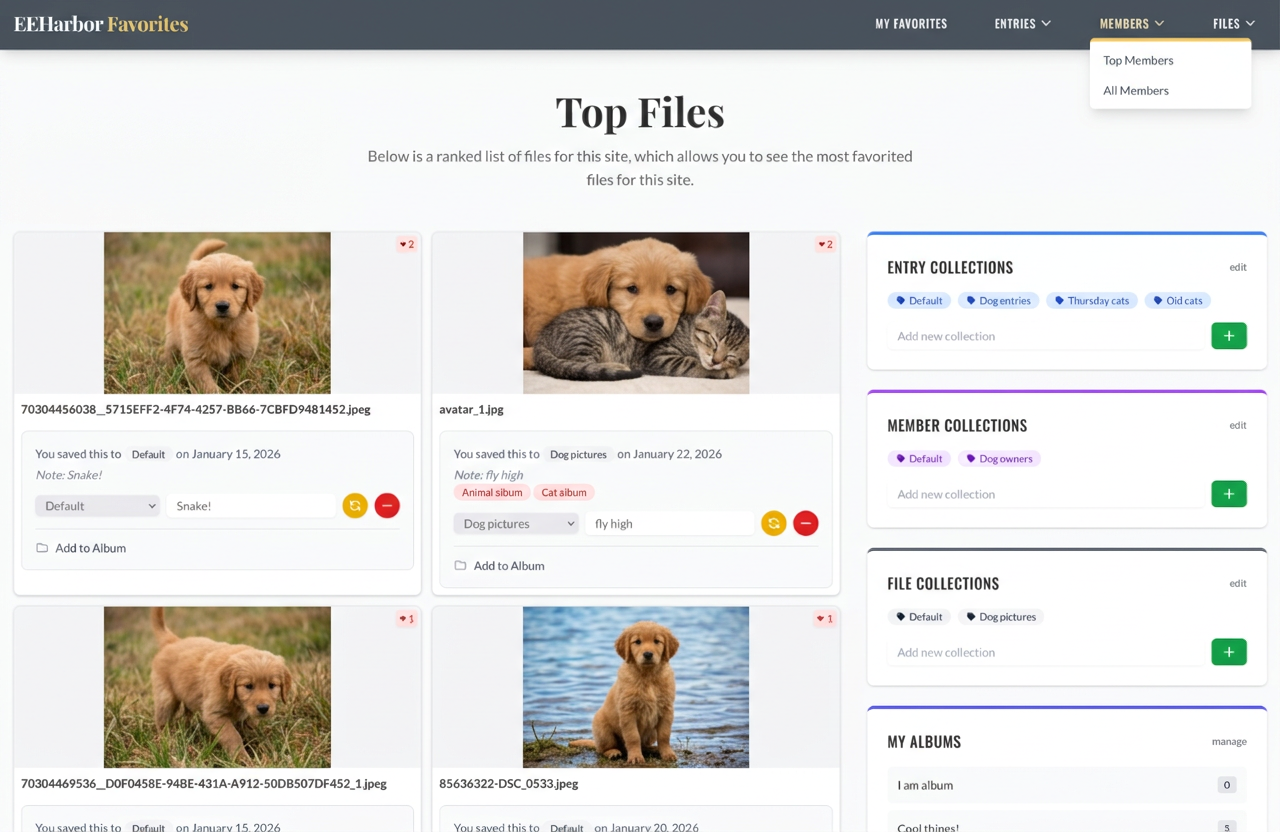
Yes! Files can now be favorited in the same way entries and members can be. And v7 brings a new way for users to curate content. Albums are unique to files, and unlike collections, they are created and owned by a single user. Susan can have her 'Cool dogs' album, and Joe can have his 'Cool dogs' album. Or 'Cool cats'. Each user's albums are totally independent of other users. Albums can also be designated as public or private, where private albums' names and contents are visible only to the user who created them. It's also easy to show all public albums a file is in, allowing users to check out other albums from like-minded individuals. The addition of file favoriting and albums brings a whole new world of use cases to Favorites.
Updated Demo Templates
All of the new features mean the frontend has new tags. We also took the opportunity to update the javascript and design elements to modern standards. It's easier than ever to instantly create a working, modern, full-featured demo to illustrate tag use and show off what can be done.
Favorites v7
Check out the full Changelog or purchase now on the EEHarbor store. This is a free upgrade for users with an active Favorites license.
